Export or back up the relevant data first. Do not delete, void, unreconcile, or adjust historical transactions unless you understand the accounting impact.
Menu names can change. We link current first-party instructions so you can confirm product behavior before acting.
Identify the failure before applying a fix
A customer receipt appears twice, remains on account, clears the wrong invoice, or creates an unexpected allocation during matching.
Record the complete message, affected organisation or company, user, date range, and last successful action. A precise symptom is more useful than trying several broad repairs at once.
Checks before changing data
- Identify the customer, receipt amount, date, bank account, reference, and transaction number.
- Check whether the item is a receipt, payment on account, credit note, or allocation-only entry.
- Confirm whether the transaction is reconciled or included in a VAT return.
Resolution path
- Reconstruct the allocation. Open the customer activity and receipt allocation to see which invoices, credits, and payments on account were selected.
- Compare the allocation total with the bank receipt.
- Look for a second receipt with the same reference or amount.
- Determine whether the cash or only the allocation is wrong. Preserve the real bank receipt. Correct the allocation path separately when the cash transaction is valid.
- Do not post another receipt to clear the invoice.
- Use a zero-amount allocation only when following Sage’s documented allocation workflow.
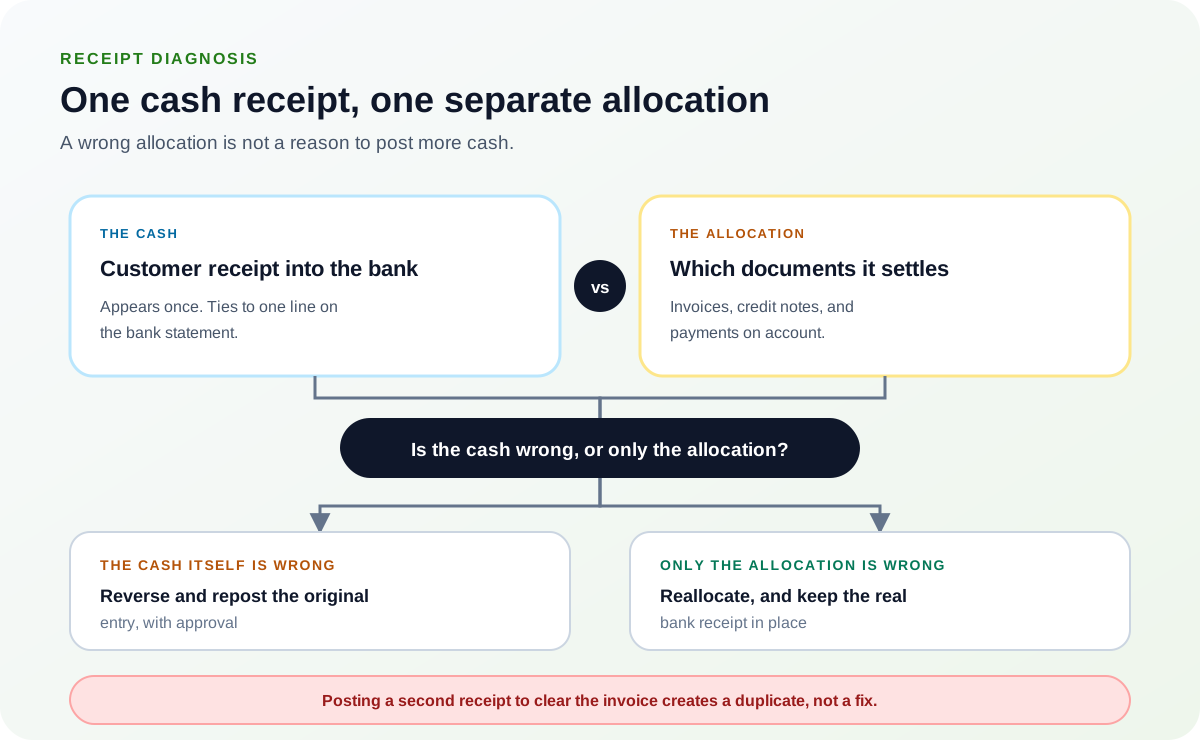
The bank receipt and the allocation are two records. When only the allocation is wrong, reallocate and leave the real receipt in place — a second receipt would settle the invoice and overstate the cash.Source: Ledger Clinic original diagram - Correct with the appropriate transaction path. Reallocate credits or payments on account, or reverse and repost only when the original entry itself is wrong.
- Match tax codes when Sage requires it.
- Get accountant approval for VAT-return or closed-period corrections.
- Verify customer and bank balances. Confirm the intended invoice status, customer balance, bank activity, and reconciliation state.
- The receipt should appear once.
- Keep a note linking any reversal to the original transaction.
Verify the result
A disappearing error is not enough. Confirm the accounting and workflow outcome:
- The correct invoice is settled by the real receipt.
- Customer and bank balances agree.
- There is one documented cash receipt, not a duplicate.
What to avoid
- Posting another receipt to hide an allocation problem.
- Deleting a reconciled or VAT-reported transaction without review.
- Allocating items with mismatched tax treatment.
When to involve product support, IT, or your accountant
Stop making changes and escalate when any of these conditions applies:
- The receipt is included in a submitted VAT return.
- Several invoices or credits were partially allocated.
- Customer and bank ledgers disagree after correction.
Bring the exact error, screenshots, affected record IDs, timestamps, product version or region, and a description of every change already attempted. That evidence shortens the support path and reduces repeated or conflicting fixes.
Sources checked
First-party product documentation used to verify the workflow and risk notes in this guide.