Export or back up the relevant data first. Do not delete, void, unreconcile, or adjust historical transactions unless you understand the accounting impact.
Menu names can change. We link current first-party instructions so you can confirm product behavior before acting.
Quick answer
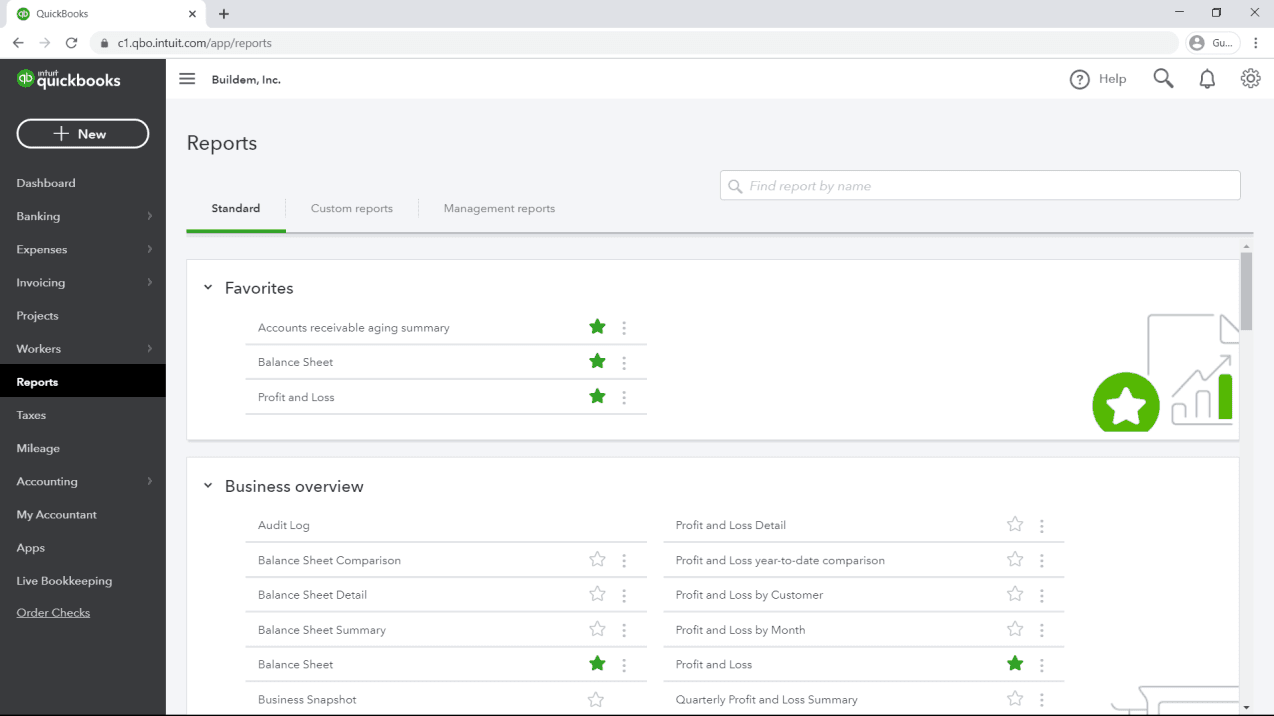
Open the Reports area, choose the report that answers the business question, set the report period and accounting method, then review filters, columns, and comparison settings before relying on the total. When a number looks wrong, drill into it and trace the underlying transactions instead of changing the report until it “looks right.”
A reliable report has four things written down: purpose, period, basis, and scope. For example: “Profit and Loss for the legal entity, July 1–31, accrual basis, all locations.” Without that definition, two correct reports can appear to disagree.
Workflow map
Question → settings → transactions → control total
A report becomes decision evidence only after its purpose, configuration, source activity, and independent tie-out agree.
- 1
Question
State the decision, entity, period, level of detail, and comparison the report must support.
Evidence: One clear reporting question.
- 2
Settings
Confirm period, cash or accrual basis, columns, filters, currency, classes, and customisation.
Evidence: Report header documents the configuration.
- 3
Trace
Drill from unexpected totals to accounts, documents, dates, and audit history.
Evidence: Source transactions explain the number.
- 4
Tie out
Reconcile bank, receivable, payable, tax, payroll, inventory, loans, or other controls.
Evidence: Published report pack retains the evidence.
Start with the decision the report must support
Do not start by opening the longest report list. State the question first, then select the report and supporting detail that can answer it.
- Did the business earn a profit during the period? Start with Profit and Loss, then inspect transaction detail for unusual accounts.
- What does the business own and owe at a date? Use the Balance Sheet and reconcile material control accounts.
- Who owes us, and how old is the balance? Use Accounts Receivable Aging Summary, then open customer detail.
- Whom do we owe? Use Accounts Payable Aging Summary and review overdue or negative vendor balances.
- Why did cash change? Use Statement of Cash Flows, bank registers, and reconciliations; profit alone is not cash.
- Does the bank balance agree to evidence? Use the reconciliation workflow and retained statement, not a dashboard estimate.
Verify the settings before interpreting a number
Report period and “as of” date
Income-statement reports cover a period; balance-sheet reports show balances as of a date. Confirm both the starting and ending dates, especially when comparing to a prior period. A one-day difference can move invoices, payments, bills, payroll, and deposits between periods.
Cash or accrual basis
Cash and accrual views answer different questions and can recognize income and expense at different times. Record the selected basis on saved reports and exported packs. Do not assume a report is wrong merely because its basis differs from another report.
Entity and dimensional scope
Check whether the report includes all customers, vendors, accounts, classes, locations, products, and projects. Also confirm whether the company file represents one legal entity or contains activity that should be separated. A filter can create a precise-looking but incomplete total.
Use a compact core report set
A month-end pack should be small enough to review consistently. Add reports only when someone owns the review and can explain the exceptions.
- Profit and Loss with current period, prior period, and variance where useful.
- Balance Sheet with comparison to the prior close.
- Accounts Receivable Aging tied to the accounts-receivable control balance.
- Accounts Payable Aging tied to the accounts-payable control balance.
- Statement of Cash Flows supported by bank and credit-card reconciliations.
- General Ledger or Transaction Detail for material, unusual, or high-risk accounts.
- Reconciliation reports and external statements for each bank and credit-card account.
Payroll liabilities, sales tax, inventory, loans, deferred revenue, fixed assets, and equity often need dedicated schedules. The right set depends on the company's accounting model and compliance obligations.
Customize a report without hiding the problem
QuickBooks Online can adjust dates, accounting method, columns, grouping, comparison periods, number formats, and filters, with options varying by report and subscription. Save a clearly named customization only after checking what the default report included.
- Name saved reports with the purpose and important scope, such as “Monthly P&L — Accrual — All Locations.”
- Use one change at a time when diagnosing; a combination of date, basis, and filter changes makes the cause hard to isolate.
- Keep an unfiltered control report available so the customized total can be reconciled back to the whole ledger.
- Document filters that exclude inactive records, zero balances, specific distribution accounts, or classes.
- Do not treat a hidden row as a corrected transaction. Fix classification at the source only when the accounting evidence supports the change.
Investigate unexpected numbers systematically
- Reproduce the view. Record report name, date, basis, filters, and comparison settings.
- Remove filters carefully. Determine whether the amount is absent or merely excluded.
- Drill into the total. Review the transaction list, dates, account distribution, customer or vendor, and status.

- 1A count of insights is a count of movements the product noticed, not of problems. Four flagged here does not mean four errors, and a period with none flagged has not been checked.
- 2This summarises the movement; it does not open the transactions behind it. Drilling still means opening the underlying report and reading dates, account distribution, customer or vendor, and status yourself.
- 3A percentage is a comparison between two periods, so it has two possible causes: this month moved, or last month was wrong. Open both before attributing the change to the current period.
- 4The timestamp is when the insight was computed. Anything posted or corrected since then is not in it, so re-run the underlying report at your own cutoff before quoting the figure.
- Compare to independent evidence. Use bank statements, invoices, bills, payroll reports, loan statements, inventory records, or filed returns.
- Check timing and duplication. Look for transactions just outside the period, duplicated downloaded activity, unapplied payments, or undeposited receipts.
- Correct the source with approval. Do not post a plug or delete history solely to force the total.
- Rerun and retain evidence. Confirm the corrected report and any control-account reconciliation.
If the discrepancy affects a filed tax return, payroll filing, closed period, loan covenant, owner distribution, or audited statement, stop and involve the responsible accountant before changing transactions.
Build a repeatable month-end reporting pack
Complete transaction processing and account reconciliations before final reporting. Review uncategorized or suspense activity, undeposited funds, unapplied payments, aging, inventory or project schedules, payroll and tax liabilities, loans, fixed assets, and equity. Then run the core reports using the approved period and basis.
Add a short review note for material variances: what changed, why, what evidence supports it, who reviewed it, and whether follow-up remains. This turns the pack from a collection of PDFs into an accountable close record.
After approval, restrict changes to the closed period according to the company's access and close policy. If a later correction is required, use a documented adjustment process rather than silently rewriting the prior pack.
Export with a control total and a purpose
Before exporting, note the report name, run date, report period, basis, filters, currency, and total used for control. Store the export with the supporting reconciliation and reviewer note. If the exported file will be changed for presentation, preserve the original report separately.
Spreadsheet edits do not update QuickBooks. A manually added total, hidden row, or changed label can be useful for presentation but must be distinguished from the system-of-record report. Never import a presentation adjustment back into the books without normal accounting review.
Report reliability checklist
- The business question and report owner are defined.
- The period or as-of date is correct.
- Cash or accrual basis is visible and appropriate.
- All material filters and dimensions are documented.
- Bank, credit card, receivable, payable, payroll, tax, and other control accounts are reconciled as applicable.
- Unexpected balances have been traced to transactions and external evidence.
- Corrections preserve the audit trail and have the required approval.
- The final pack, control totals, supporting evidence, and reviewer sign-off are retained.
A report is ready when another reviewer can reproduce it, understand its scope, trace material totals, and see which evidence supports the conclusion.
Sources checked
First-party product documentation used to verify the workflow and risk notes in this guide.